
SimBricks SPI Demo
General Setup
The general setup of this example consists of a host device (running a software stack) connected to a device via SPI. For this demonstration, we chose the NXP i.MX 8 Plus EVK as the host device and a very simple temperature sensor as the SPI device. The goal is to read temperature values from the temperature sensor via SPI with an application running on the host device.
Simulation Setup
We are simulating the desired setup by conneting two simulators, one for the host device and one for the temperature sensor, using SimBricks. The two simulators are connected at the SPI interface and therefore they exchange data at the SPI level. To this end, both simulators implement a SimBricks adapter, which supports the SPI protocol.
For the NXP i.MX 8 Plus EVK host device we chose to use QEMU, which already provides a machine model for this board. The board provides SPI interfaces and we connect our SimBricks adapter to one of them. We are running a small Linux ARM image on it, since the board includes an ARM 64-bit processor. This allows us to run a small application, that uses the SPI device which is exposed under /dev in order to read temperature values from the temperature sensor.
The temperature sensor is a very simple simulation model that returns random temperature values in a given temperature range on every read. The model also includes the SimBricks adapter, which allows it to be connected to the host device.
Demo
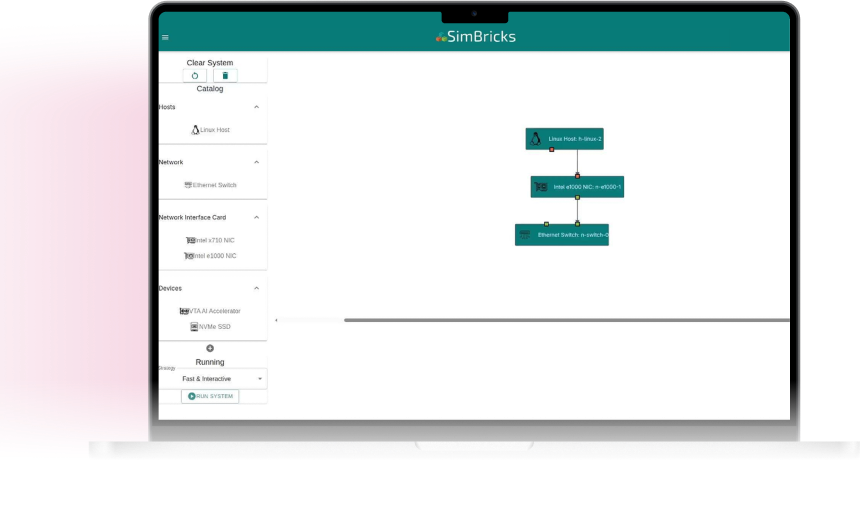
The demo shows how we conncet the NXP i.MX 8 Plus EVK board (simulated with QEMU) with the temperature sensor, define what should be executed on the host device, and finally executing the simulation. The Linux image includes our application "read_temperature", which opens and reads 10 temperature values from the given SPI device.
Try SimBricks now
New to SimBricks? Get started quickly with our easy-to-use demo.
Frequently asked questions
Do you have questions? Let us answer them!
Do you have further questions?
Contact us at info@simbricks.io
SimBricks enables virtual prototyping of heterogeneous computer systems in different environments. This reaches from complex, high performance computer systems in data centers to intricate embedded systems in the automotive sector. These systems have in common that they are comprised of many interconnected heterogeneous components that collectively form a complex whole. So far we have used it for network, storage, and distributed systems, as well as hardware accelerators.
The main target users are system architects, as well as hardware and software engineers. Other users are technical sales teams.
We provide an easy-to-use demo of the SimBricks hosted offering and pre-built docker images. Setting up and using SimBricks for the first time can take as little as 5 minutes. More complex configurations with proprietary simulators may require more time.
The current version of SimBricks offers flexibility in how and where it can be run. You can run SimBricks fully locally on your own computing infrastructure, suited for small and simple virtual prototypes. Addtionally, it is possible to run larger and more complex virtual prototypes via a hosted SimBricks offering, using either our servers or your own servers (Bring Your Own Cloud) to run the simulation models. Please reach out if you are interested.
SimBricks simulates virtual prototypes by combining and connecting multiple different simulators for individual system components into a complete system simulation.
SimBricks aims to enable virtual prototyping of complete computer systems, rather than individual components. SimBricks also does not replace existing simulators for individual components, but instead enables users to connect together multiple existing simulators, even from different vendors and such simulators never designed to interoperate, into a complete system.
Do you have further questions?
Contact us at info@simbricks.io



